
WordPress Website Design
AI Website Builder vs. WordPress for Roofing Companies in the USA (2026)

WordPress Website Design
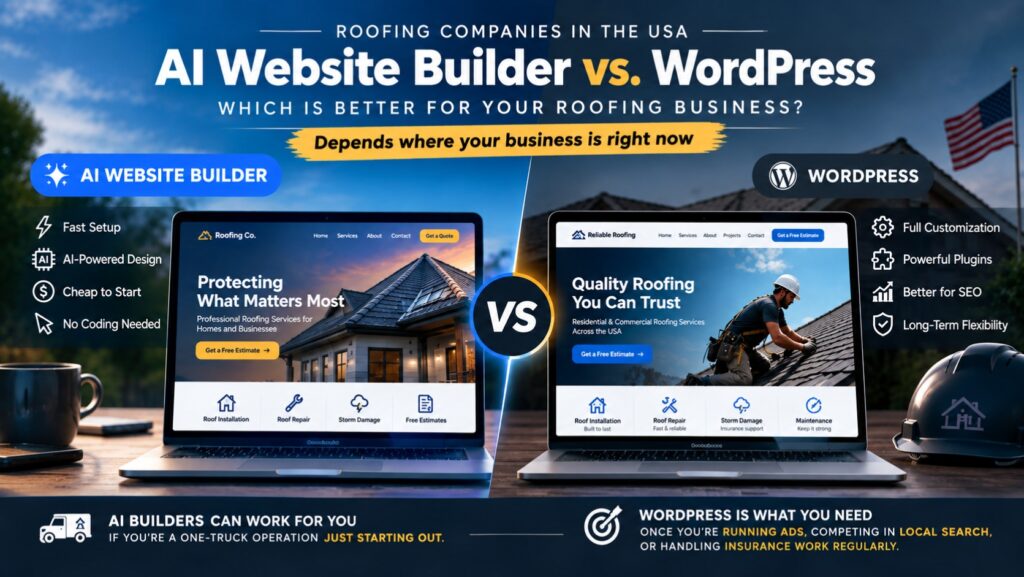
Choosing between an AI website builder vs. WordPress for roofing companies usually starts with a pitch: describe your business, get a finished site in minutes, no designer or developer required, sometimes under a name like “smart website,” “AI-powered site,” or “instant website.” Skip the WordPress learning curve entirely, or so the pitch goes.
For a lot of small businesses that pitch holds up fine. For a roofing company specifically, it usually doesn’t, and the reason has nothing to do with WordPress being older or more complicated. It comes down to what a roofing website actually has to do: turn a homeowner staring at storm damage into a phone call or a quote request, fast, on a page that loads instantly and doesn’t look like every other contractor’s site in the same search results.
This is a straight look at what each option gets right, where the AI option quietly loses roofing leads specifically, and what we changed when we rebuilt MVP Roofing‘s site the real way.
According to Roofr’s 2026 Homeowner Perspective Report, a survey of 292 U.S. homeowners who had a roofing project completed in the last two years, 82% said they check a roofer’s online reviews before hiring, and 74% ranked clear communication above price as a deciding factor. Both of those are things a website controls directly: whether your reviews are visible and current, and whether a homeowner can actually reach you the moment they decide to act.
The short version: an AI website builder can get a roofing company online fast and looks fine on day one. It starts costing real leads once you need storm-damage landing pages for specific service areas, a quote form that handles roof photos, review schema that shows stars in search results, and page speed that survives a homeowner searching from a driveway on 4G. That’s the layer a real WordPress build controls and most AI builders don’t.
A roofing lead is almost always urgent, price-sensitive, and trust-sensitive at the same time. The homeowner is usually comparing three or four roofers within the same hour, often right after a storm, and the site that gets the call is rarely the prettiest one. It’s the one that answers the actual questions fast: do you work in my area, do you handle insurance claims, what does this look like when it’s done, and can I reach a real person right now.
That means a roofing site needs specific things a generic small-business template doesn’t prioritize: a quote request form that accepts photo uploads, a dedicated page per city or county you actually service, a visible financing or insurance-claim explanation, a before-and-after gallery of real jobs, and review or rating markup that can show stars directly in Google’s search results. None of that is exotic. It’s just specific, and specific is exactly what a fast, generic AI build tends to skip.
AI website builders are built to solve a general problem: get any small business online in minutes. Roofing isn’t a general problem. It’s a local, high-intent, insurance-adjacent trade, and the gap shows up in three specific places.
Most AI builders generate a single “service area” section, not a real page per city or county. A roofer covering six towns ends up with one paragraph mentioning all six, competing against local competitors who have a full page built around each one. In roofing, a dedicated page for “roof replacement in [town]” consistently outranks a single page that lists six towns in passing, because that’s what someone searching from that specific town actually typed.
A large share of roofing leads come from storm damage and insurance claims, and homeowners searching after a storm are looking for specific reassurance: do you work directly with adjusters, do you offer a free inspection, what’s the claims process. AI builders generate generic “our services” copy, not a dedicated storm-damage or insurance-claim page built around what a homeowner in that exact situation is trying to figure out.
A homeowner requesting a quote usually wants to attach photos of the damage. Most AI-builder contact forms are a name, email, and message field, nothing more, and nothing built to validate a real phone number or block bot submissions, which roofing sites get hit with constantly given how much a single lead is worth to competitors running fake-lead scrapers.
The three most common ways a fast AI-built site quietly loses roofing leads.
We rebuilt MVP Roofing’s site on WordPress from the ground up, and the changes that mattered weren’t cosmetic. The build included a dedicated services hub page structured so each roofing service and each service area could get its own page instead of one paragraph, FAQ content with proper FAQPage schema so common questions can surface directly in Google’s search results, and a hardened quote request form with real phone and address validation plus a honeypot field to block the bot-submitted fake leads that plague contractor sites. We also added a dedicated suppliers page listing the actual material brands being installed, which matters more in roofing than almost any other trade, since the shingle or metal brand is often a direct factor in the homeowner’s insurance claim and warranty.
None of that is something an AI builder generates on its own. It’s the difference between a site that describes a roofing company and one that’s actually built around how a roofing lead behaves.
| What a roofing site needs | AI website builder | A real WordPress build |
|---|---|---|
| Page per service area | Usually one shared section | Dedicated page per town or county |
| Storm damage / insurance page | Not generated by default | Built as its own page, targeting real search intent |
| Quote form with photo upload | Basic name/email/message only | Custom form, photo upload, spam hardening |
| Review / star-rating schema | Rarely supported | Full schema control |
| Before/after photo galleries | Generic stock imagery | Built around real job photos |
| Ongoing cost | Monthly subscription, indefinitely | One build cost, modest hosting after |
A roofing lead that goes to a competitor because your quote form couldn’t take a photo, or because your site had no page for their specific town, isn’t a small miss. Roofing jobs run from a few hundred dollars for a repair to well into five figures for a full replacement, and losing even one or two jobs a month to a competitor with a better-built site costs far more than the build itself. A Growth-tier WordPress build runs $999, structured around exactly this: multiple service pages, a proper contact form, and on-page SEO set up correctly from the start. Compared against even a handful of missed jobs a year, the build cost isn’t the expensive option. The AI builder that keeps quietly losing you leads every month is.
If you’re a one-truck operation just getting started, not yet running ads or competing seriously in local search, and you mainly need a page that proves the business is real when someone asks for your website, an AI builder can hold that spot for a while. The moment you’re running Google ads to roofing leads, competing against other roofers in local search, or handling insurance-claim work regularly, the gap described above starts costing more than a real build would have.
Where the line actually sits between an AI-built site being enough and a roofing company needing a real WordPress build.
Yes, if ranking in local search matters. A dedicated page for “roof replacement in [town]” targets that exact search far more precisely than one page mentioning several towns, and it consistently outranks the generic version once both are indexed.
Most can’t generate a dedicated page for it without manual custom work, and few AI builders support that level of customization. A real WordPress build can have a storm-damage page built specifically around what a homeowner filing a claim is searching for.
Our Growth tier runs $999 and covers up to 10 pages with a custom contact form and on-page SEO, which fits most roofing companies needing several service-area pages. A Pro-tier build at $2,499 adds custom functionality like a quote calculator or CRM integration for companies handling higher lead volume.
Not if the old URLs are redirected properly to their new equivalents. Rankings typically hold through the switch and often improve once dedicated service-area pages are live, since those rank better than the single general page most AI builders produce.
Day-to-day content changes, like updating a phone number or adding new job photos, are done through a normal visual editor. Anything structural, like adding a new service area page, is usually handled by whoever built the site, the same way you’d rely on an AI builder’s support team for anything beyond basic edits.
Yes. Using AI to draft page copy or generate images isn’t exclusive to AI website builders. Plenty of WordPress roofing sites use AI tools for first-draft content while the site itself runs on a platform built for local search.
Treating it as a digital business card instead of a lead-generation tool. A site that just states the business exists, without service-area pages, a real quote form, or visible reviews, is leaving the actual decision-driving information for a homeowner to hunt down elsewhere, usually on a competitor’s site instead.
See our WordPress website packages for pricing and what’s included, or read the general AI website builder vs. WordPress comparison if you’re deciding for a non-roofing business. If you’re also weighing a CRM’s built-in website against a real site, we covered that in CRM website vs. WordPress for contractors.
See our WordPress website packages — pricing, what's included, and how the process works.

Founder of Judesk Tech, building WordPress websites, brands, and marketing for small businesses across the USA.

Why AI tools like ChatGPT and Google AI Overviews skip over small business websites, and what actually makes…

45% of US consumers now use AI tools to find local businesses, up from 6% last year. What…

Real 2026 WordPress pricing tiers for small businesses, what actually drives the cost, and what's not included in…
Ready to start?
Spotted something broken? Let us know and we'll take a look.
Join the discussion
No comments yet. Be the first to share your thoughts.