
WordPress Website Design
CRM Website vs. WordPress: Which Is Right for Contractors in 2026?

WordPress Website Design

If you run a roofing, plumbing, electrical, HVAC, or landscaping business, there’s a decent chance your Jobber, Housecall Pro, or ServiceTitan account came with a “free website” bundled in. It took ten minutes to set up. It has your logo on it. It technically works.
So is that enough, or should you actually build a real site on WordPress? The honest answer depends on what the website actually needs to do for you, and most contractors have never had someone walk them through that tradeoff in plain terms. That’s what this article does: not a sales pitch for one option over the other, just a clear look at what each one is actually built for, where the free option genuinely holds up, and where it quietly starts costing you jobs.
It helps to understand why the free website exists in the first place. Platforms like Jobber, Housecall Pro, and ServiceTitan are built to solve scheduling, dispatch, invoicing, and payments for a field service business. That’s the actual product they’re selling you, and it’s genuinely good software for that job.
The website is a bonus feature layered on top, mostly there so a brand new contractor has something to point customers to on day one without needing to hire anyone. It’s a convenience, not a growth engine. Nobody at these companies is trying to build you the best possible marketing site. They’re trying to make sure you don’t sign up for a competitor’s platform because you needed a web page and they didn’t have one.
Under the hood, a bundled CRM website is a template. You fill in your business name, upload a logo, pick a color, and the platform assembles a page from a layout thousands of other accounts on the same plan are also using. Some platforms let you swap a few section orders or images. Almost none let you touch the underlying code, the page structure, or how the site is technically built.
That’s not a knock on the software itself. It’s genuinely useful for running the operational side of a contracting business, and for a lot of contractors it’s the right tool for scheduling and dispatch regardless of what they do about the website. The website piece was simply never designed to be a serious marketing asset. It was designed to exist, so that the box got checked and the contractor could move on to actually running jobs.
The short version: a bundled CRM website is a convenience feature built to exist, not a marketing asset built to compete. Understanding that distinction is most of what you need to decide whether it’s still doing its job for your business.
Template sites use the same layout, the same section order, and often the same stock photography as thousands of other contractors on the same platform. Swap the logo and the business name, and two competing companies in the same city can end up with sites that are structurally identical.
A homeowner comparing three quotes online can’t tell your business apart from the last one they looked at. When everything about the presentation is interchangeable, the decision comes down to price alone, which is exactly the race to the bottom most contractors are trying to avoid.
Cancel the CRM subscription, switch to a competing platform, or just decide to move on, and the website usually goes down with it. Every dollar of SEO progress, every backlink you’ve picked up, every bit of trust Google has built up about your business over months of being indexed disappears the same day you switch software. The site was never really yours to keep. You were renting a page on someone else’s platform the whole time, even though it had your name on it.
These platforms optimize for getting you signed up and scheduling your first job, not for ranking your specific service area on Google. Most bundled sites ship with thin, generic content that’s nearly identical across thousands of accounts. That’s exactly the kind of duplicate, boilerplate content search engines are built to rank poorly, no matter how good the underlying business actually is.
The three most common signs a bundled website is quietly costing a contractor leads.
The strongest thing most contractors have to sell with is proof: real before and after photos, a real service history, real reviews tied to real jobs. A shared template usually gives you one small gallery block and calls it done. There’s rarely a real way to build out a project-by-project portfolio, organize photos by service type, or let a specific job showcase itself the way it would on a site actually designed around your work.
A custom build can lead with your actual before and after photos, your actual service area, and the specific services you want more of, instead of a generic template trying to describe every possible contractor at once. If your best-converting service is emergency repairs and you want that front and center on the homepage, a real build lets you do that. A template does not.
It’s a sentiment a lot of contractors land on after enough quotes have gone out with no callback: the site doesn’t need to be fancy, it needs to look like nobody else’s.
WordPress currently powers roughly 42% of all websites, according to W3Techs’ ongoing CMS usage tracking, by far the largest share of any single platform. That scale matters here for a practical reason: it means WordPress gives full control over the exact things that affect local search rankings: page titles, meta descriptions, service-specific pages per city or neighborhood, schema markup, image alt text, and site speed.
A bundled CRM site typically can’t touch most of that. A real WordPress build can have a dedicated page for every service you offer, in every town you cover, which is exactly the long-tail structure that actually ranks over time. “Emergency roof repair in Newcastle” as its own page will always have a better shot at ranking than one paragraph buried on a general services page that’s also trying to describe five other things.
Switching to WordPress for the website doesn’t mean giving up Jobber, Housecall Pro, or ServiceTitan for scheduling and invoicing. Most contractors keep the CRM running the back office and let the website run marketing. The two aren’t actually in competition with each other, and there’s no reason to rip out software that’s working fine for dispatch just because the bundled website isn’t pulling its weight.
A real build can carry a proper portfolio or case study section: real projects, organized by service or by neighborhood, with the kind of before and after storytelling that actually convinces a homeowner to pick up the phone. That’s the single biggest upgrade most contractors notice once they’ve made the switch, not the design polish, the proof.
Switching to WordPress replaces the website, not the systems already running the business.
| What matters | Bundled CRM website | A real WordPress site |
|---|---|---|
| Ownership | Tied to your CRM subscription | Yours outright, forever |
| Design | Shared template | Built around your business |
| SEO control | Very limited | Full control |
| Service-area pages | Usually one generic page | One page per service, per area |
| Portfolio or case studies | Rarely more than a small gallery | A real, organized project history |
| What happens if you switch CRMs | Website usually goes down too | Nothing changes |
| Upfront cost | $0 | A real investment |
To be fair to the free option: if you’re brand new, working almost entirely off referrals, or not actively trying to grow through Google search, the bundled site can genuinely hold the fort for a while. There’s no reason to spend money solving a problem you don’t have yet. Plenty of contractors run a successful, busy business for years on word of mouth alone, and for them a template page that just confirms “yes, this business is real” is doing exactly the job it needs to do.
The free site stops being fine the moment you’re actually trying to win new customers through search, or the moment a competitor with a real site starts consistently outranking you in your own service area. That’s usually the point where the math flips: what used to be a reasonable shortcut starts quietly costing you jobs every month it stays in place.
It’s worth being concrete about what “quietly costing you leads” actually means in practice. If a template site can’t rank for “[your service] in [your city]” because a hundred other contractors on the same platform are competing for that exact same generic page, every one of those searches is a job going to whoever does show up on page one, usually a competitor who invested in a real site.
It also shows up in conversion, not just visibility. A homeowner who lands on a site that looks like every other contractor’s page has no reason to trust one business over another beyond price. A site built around real photos of real completed jobs in their neighborhood gives them an actual reason to call, which is the difference between winning a job on value instead of racing to the bottom on price.
We walked through a very similar situation recently for MVP Roofing, a roofing company that needed a real site fast. It’s now ranking on the first page of Google for several of its target keywords, the exact outcome a bundled CRM template was never built to deliver. If you’re specifically weighing this for a roofing business, see our breakdown of AI website builders vs. WordPress for roofing companies.
Not if it’s done correctly. Proper 301 redirects from every old URL to its matching new page preserve almost all of the SEO value you’ve already built, and rankings typically recover within a few weeks, often improving past where they started once the new site’s structure kicks in.
No. Most contractors keep their CRM for scheduling, dispatch, and invoicing, and simply stop using its bundled website once the WordPress site is live. The two systems run independently of each other.
It depends on scope, but a focused build, homepage, core service pages, and a contact form, can go live within a couple of weeks once content and photos are ready.
Both, but the calls are the point. A site built to rank for your actual service area and show real proof of your work gets found by people who are actively searching, not just people who already know your name. Looking nicer is a side effect of that, not the goal on its own.
Start documenting from your next job onward. A handful of strong before and after photos is enough to launch with, and the portfolio only gets stronger from there. It’s a far better long-term asset than a template site will ever be, even with a smaller starting set.
Jobber, Housecall Pro, and ServiceTitan all work fine alongside a WordPress site, since the website and the CRM are separate systems talking to each other, not one replacing the other. The CRM keeps running scheduling, dispatch, and invoicing exactly as it does today.
It depends on scope, but a focused build with a homepage, core service pages, and a contact form is a realistic starting point for most contracting businesses, with cost scaling up from there based on how many service-area pages and features you need. It’s worth getting a real quote rather than guessing, since scope varies a lot between a one-truck operation and a multi-crew company.
Yes. Most CRM platforms provide an embeddable booking widget or form that can be dropped directly into a WordPress page, so customers can still book through the same system your team already uses on the back end.
Your actual reviews, on Google, Facebook, or wherever they live, stay exactly where they are and aren’t tied to your website at all. What moves is how they’re displayed: a real WordPress build can pull in and showcase those reviews properly, instead of the limited widget a bundled template usually offers.
No. The new WordPress site can live on the exact same domain you already use. The switch happens by pointing that existing domain at the new site once it’s built and tested, not by starting over with a new address.
Yes, especially once you’re actively trying to win new customers through search. The CRM’s bundled site is fine as a placeholder, but a real WordPress build gives you the design control, SEO control, and portfolio space a template can’t, without forcing you to give up the CRM for scheduling and invoicing.
If you’re weighing this decision for your own business, we build exactly this kind of site for contractors, real estate agents, and other local service businesses across the USA. See our WordPress website packages for pricing and what’s included.
See our WordPress website packages — pricing, what's included, and how the process works.

Founder of Judesk Tech, building WordPress websites, brands, and marketing for small businesses across the USA.
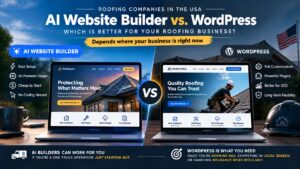
AI website builders promise a fast site for any small business. Here's where that falls short specifically for…

Why AI tools like ChatGPT and Google AI Overviews skip over small business websites, and what actually makes…

45% of US consumers now use AI tools to find local businesses, up from 6% last year. What…
Ready to start?
Spotted something broken? Let us know and we'll take a look.