
How Much Does n8n Workflow Automation Cost in the USA? (2026)

Search “n8n workflow automation cost” and you’ll find flat statements like “n8n is free” sitting right next to agency quotes in the thousands, with nothing explaining why the two numbers are so far apart. n8n itself is open-source, so the software costs nothing to download. What a small business is actually paying for when it asks about n8n workflow automation cost in the USA is the build: someone mapping the process, connecting the tools, testing it, and keeping it running when something on the other end changes.
There are two different numbers floating around here, and they’re easy to mix up. n8n Cloud’s own software plans run roughly $24 to $60 a month, just for access to the platform. That’s a different number from what it costs to get a working automation out of it. A done-for-you build, which is what this post covers, is a separate, one-time project cost on top of whichever hosting option you pick.
We build and host n8n workflows for small businesses across the United States, so here’s what that costs right now, broken down by tier, not a generic range pulled from a comparison site.
According to Visa’s Small Business Pulse survey of 600 U.S. business leaders, 60% of small businesses were already using some form of AI or automation in early 2024, and the ones using it saw 24% revenue growth in 2023 compared with 11% for businesses that weren’t. The businesses still sitting on the sidelines usually aren’t avoiding automation because it doesn’t work. Most just haven’t seen a real price next to what the manual version is already costing them.
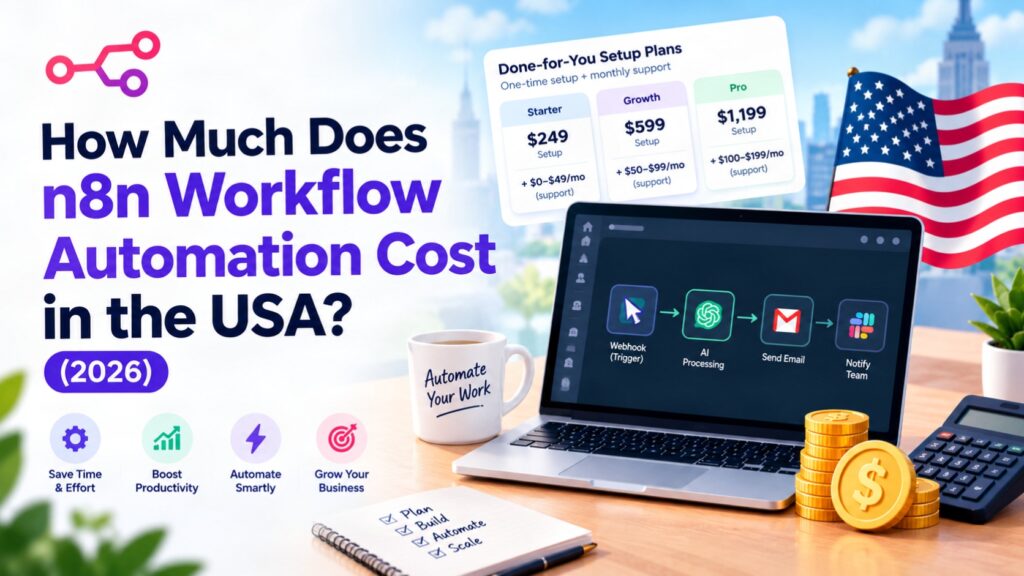
Here’s what we currently charge for a done-for-you n8n build, through our n8n workflow automation service:
| Tier | Price | What’s included |
|---|---|---|
| Starter | $249 setup + $79/mo | 1 workflow, core app connections, error handling |
| Growth | $599 setup + $199/mo | Multiple connected workflows, more complex app logic, priority fixes |
| Pro | $1,199 setup | Custom-scoped build, several workflows, ongoing cost quoted to the specific project |
The setup fee is the build itself: mapping how data should move between your CRM, inbox, calendar, or spreadsheets, building the workflow in n8n, and testing it against the messy, real version of your process rather than the clean version everyone describes it as. The monthly fee covers hosting the workflow and fixing it when a connected app changes something on its end, which happens more often than most business owners expect.
Current 2026 n8n workflow automation pricing for US small businesses, by tier.
Starter covers exactly one workflow: one process, mapped and automated, with the error handling to notice when something fails instead of silently dropping data. That’s usually the right starting point if you have one clear bottleneck, like leads sitting in a form that never make it into your CRM.
Growth is for businesses with more than one process worth automating, or a single process that touches several apps with real branching logic, like routing a lead differently depending on where it came from and what it’s asking for. Most single-workflow builds go live in 5 to 10 business days once we have access to the apps involved; a Growth-tier build with several workflows usually takes 2 to 3 weeks.
Pro is for businesses past the point of counting workflows one at a time. The setup fee reflects the real scope of the project, and the ongoing cost gets quoted to match it rather than forced into a flat monthly number that doesn’t fit the work.
n8n is open-source, and a technically comfortable person can self-host it for close to nothing beyond basic server costs, well under the $249 a done-for-you Starter build currently costs. What that skips over is everything that happens after the first version works: the app you connected changes its API, the workflow silently stops, and nobody notices until a customer asks why they never got a follow-up.
That’s the real trade-off. DIY saves the setup fee and the $79-to-$199-a-month hosting fee, but only if someone on your team has the time and the comfort level to build it correctly the first time and keep debugging it when something upstream changes. Paying for a done-for-you build buys back that time and shifts the maintenance burden onto someone whose job is watching for exactly that kind of failure.
You don’t have to take our word for what this kind of automation looks like in practice. Judesk Tech runs its own AI agent, Juno, as the live chat widget on this site. Open the chat bubble on judesktech.com and Juno answers visitor questions, qualifies what they’re asking about, and hands off to a real person when a conversation needs one, all without a human watching the window around the clock.
It’s the same category of work as the automations we build for clients: a defined process, wired into the tools we already use, running without someone manually operating it. We didn’t build Juno to prove a point for this post. We built her because answering the same first few questions from every visitor by hand wasn’t a good use of anyone’s time, which is usually the exact reason a small business starts looking at automation in the first place.
A workflow that quietly moves your data all day doesn’t need a raise, a sick day, or a reminder to do it. That’s not a sales line, it’s the actual difference between automating a process and staffing it by hand.
The honest comparison isn’t automation versus nothing, it’s automation versus the person who’d otherwise be doing that work by hand. The U.S. Bureau of Labor Statistics put the national median wage for data entry keyers at $18.17 an hour, or about $37,790 a year, as of May 2023, before payroll taxes, benefits, or training time are added on, and that’s for a role doing nothing but the repetitive work a workflow can take over. A well-built automation that costs a few hundred dollars to set up and $79 to $199 a month to maintain is a fraction of that annual cost, and it doesn’t make the kind of mistakes a tired or rushed employee does once things get busy.
That doesn’t mean automation replaces people outright. Most small businesses that go this route are automating the repetitive middle step, moving a lead from a form into a CRM, triggering a follow-up email, updating a spreadsheet, so the people on the team spend their time on the parts of the job that actually need a person.
Match the tier to how many processes are genuinely stuck, not to what sounds impressive. One form that isn’t reliably reaching your CRM is a Starter problem, at $249 to set up plus $79 a month. Several disconnected tools that all touch the same lead or order are a Growth problem, at $599 plus $199 a month. A business already running multiple workflows that needs something custom-built around an unusual process is a Pro conversation starting at $1,199, not a tier you pick off a page.
If you’re not sure which one applies, see the full n8n workflow automation breakdown on our service page, or check how this pricing lines up against our other services on our full pricing page. If you run a roofing company specifically, see our dedicated breakdown of n8n automation cost for roofing companies, which covers missed-call text-back and estimate-request routing specifically.
The n8n software is open-source and free to self-host. What costs money is the build: mapping your process, connecting your tools correctly, testing it, and maintaining it when a connected app changes something on its end.
A done-for-you build currently runs $249 to $1,199 as a one-time setup fee, plus $0 to $199 a month for hosting and monitoring depending on tier, covering one workflow up through a custom multi-workflow build.
The setup fee covers mapping the process and building and testing the workflow itself. The monthly fee covers hosting it and fixing it when a connected app changes its API or layout, which is the most common reason a working automation stops working months later.
Yes. Workflow builds happen over a video call using your own accounts, so we work with small businesses anywhere in the United States, not just in one region.
Most single-workflow builds go live in 5 to 10 business days from the day we get access to the apps involved. A Growth-tier build with several connected workflows usually takes 2 to 3 weeks.
In most cases, yes, and often at a lower ongoing cost since n8n isn’t priced per task the way some competitors are. There are cases where another tool fits better, and that gets flagged honestly during scoping rather than forced into an n8n build.
That’s exactly what the monthly plan covers. When a connected app changes something, the workflow gets updated to keep running instead of failing silently until someone notices.
See everything we offer for small businesses across the USA.

Founder of Judesk Tech, building WordPress websites, brands, and marketing for small businesses across the USA.

Real 2026 n8n automation pricing for lawn care companies in the USA: $249 to $1,199 to automate missed…

Real 2026 n8n automation pricing for roofing companies in the USA: $249 to $1,199 to automate missed calls,…

A WordPress website for a painting company in the USA runs $499 to $2,499, depending on photo galleries,…
Spotted something broken? Let us know and we'll take a look.